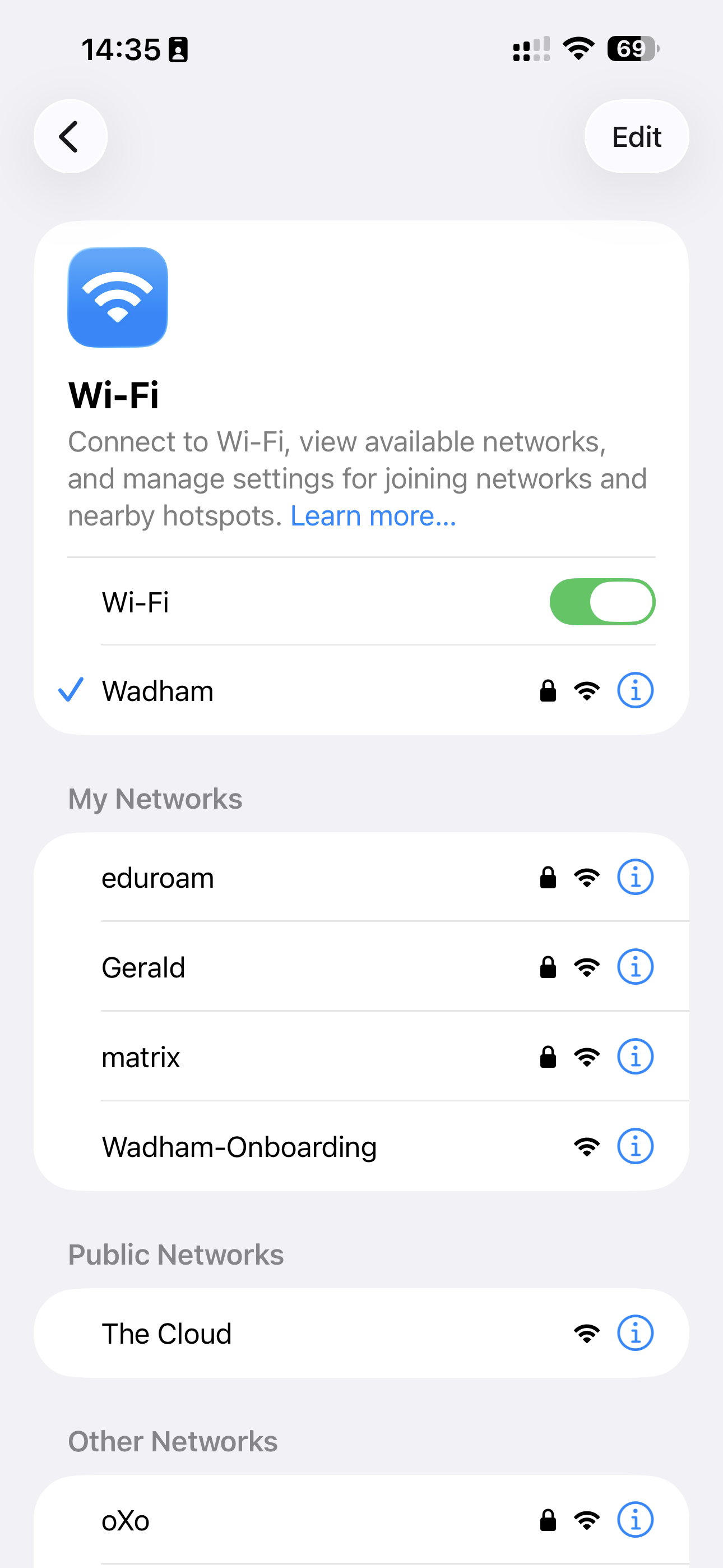
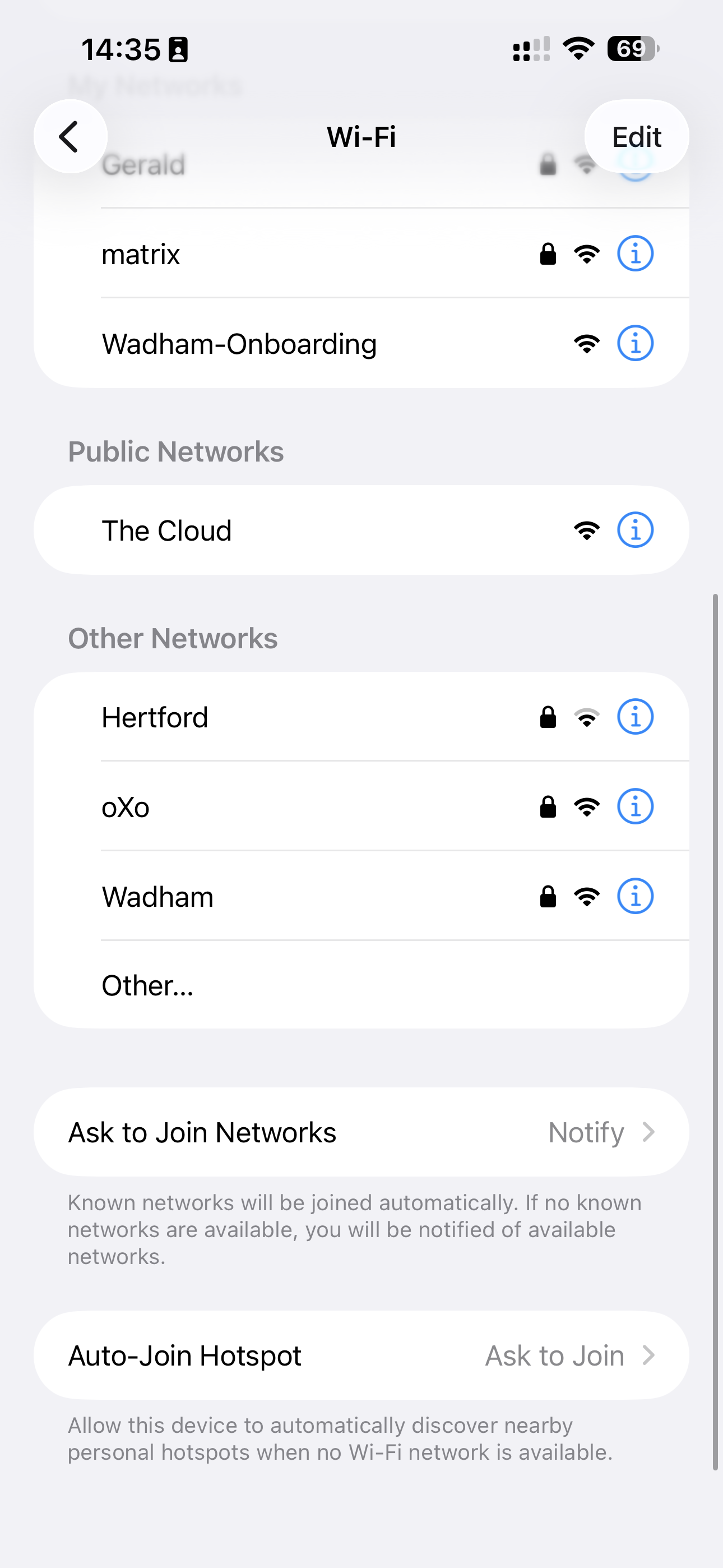
1. Connect to the Onboarding Network
Open your Wi-Fi settings and connect to the Wadham-Onboarding network.
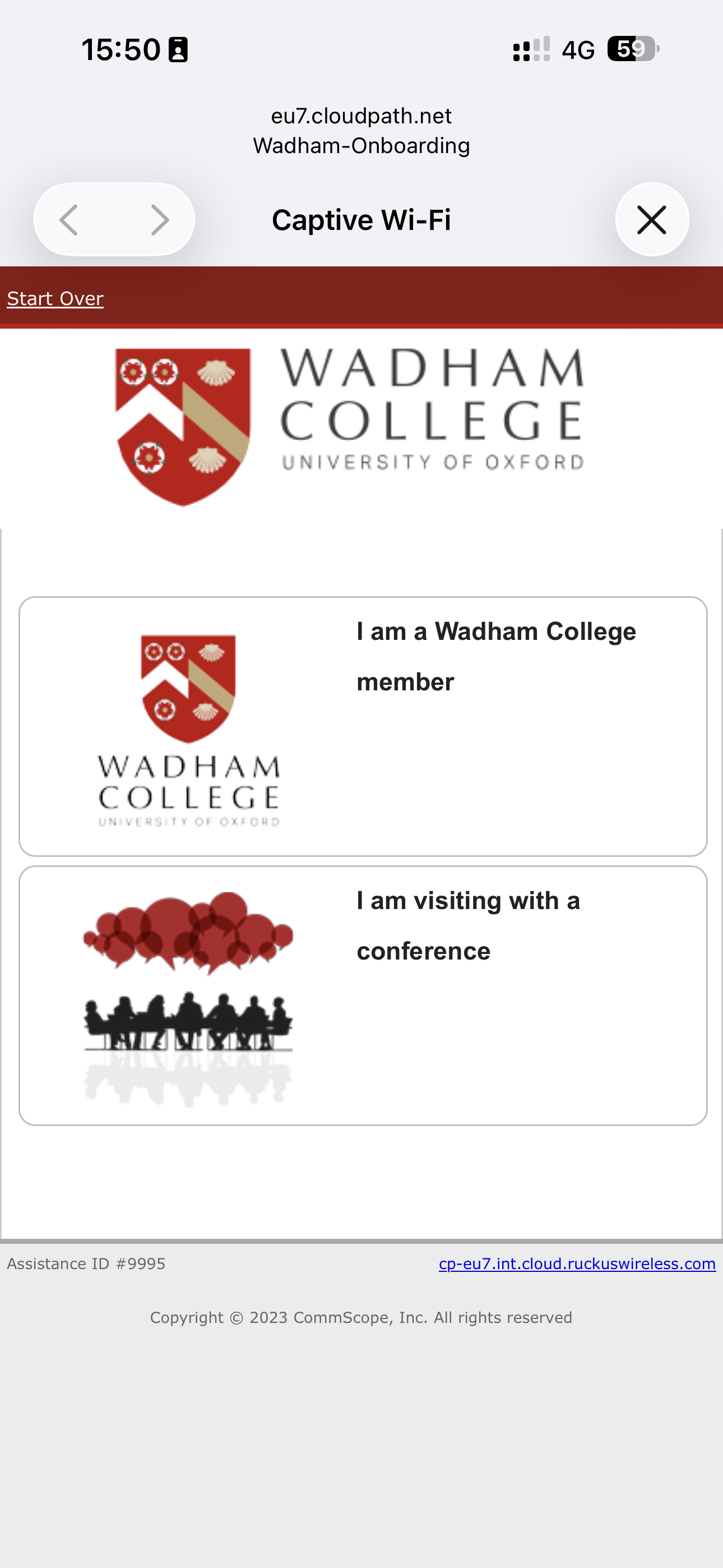
2. Select the Student/Staff Login Option
When the login window appears, choose "I am a Wadham College member".
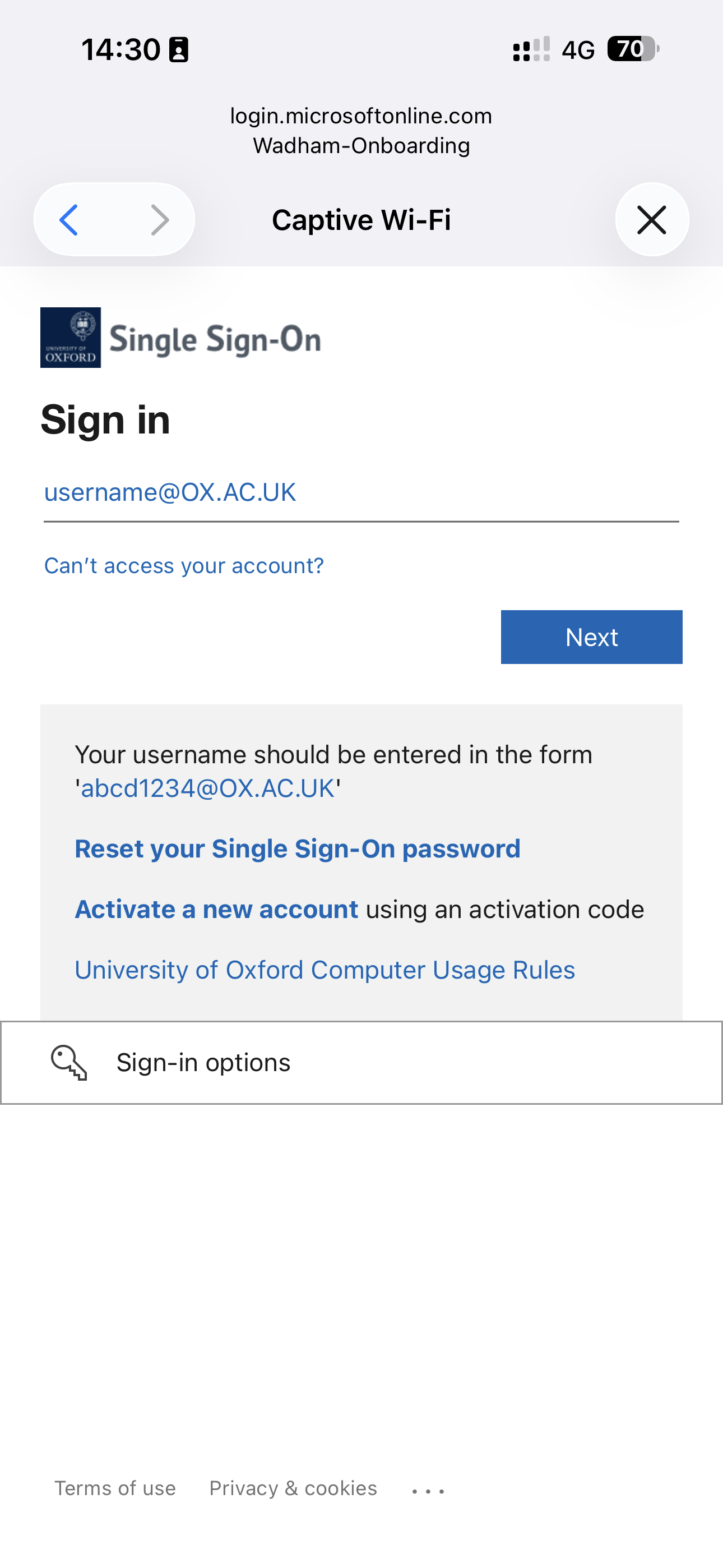
3. Sign In with Your University SSO
Sign in using your University credentials (e.g. wadh1234@ox.ac.uk).
4. Retrieve Your Wireless Password
After authentication, your new wireless password will be displayed.
- Make a note of this password.
- A copy will also be sent to your University email address.
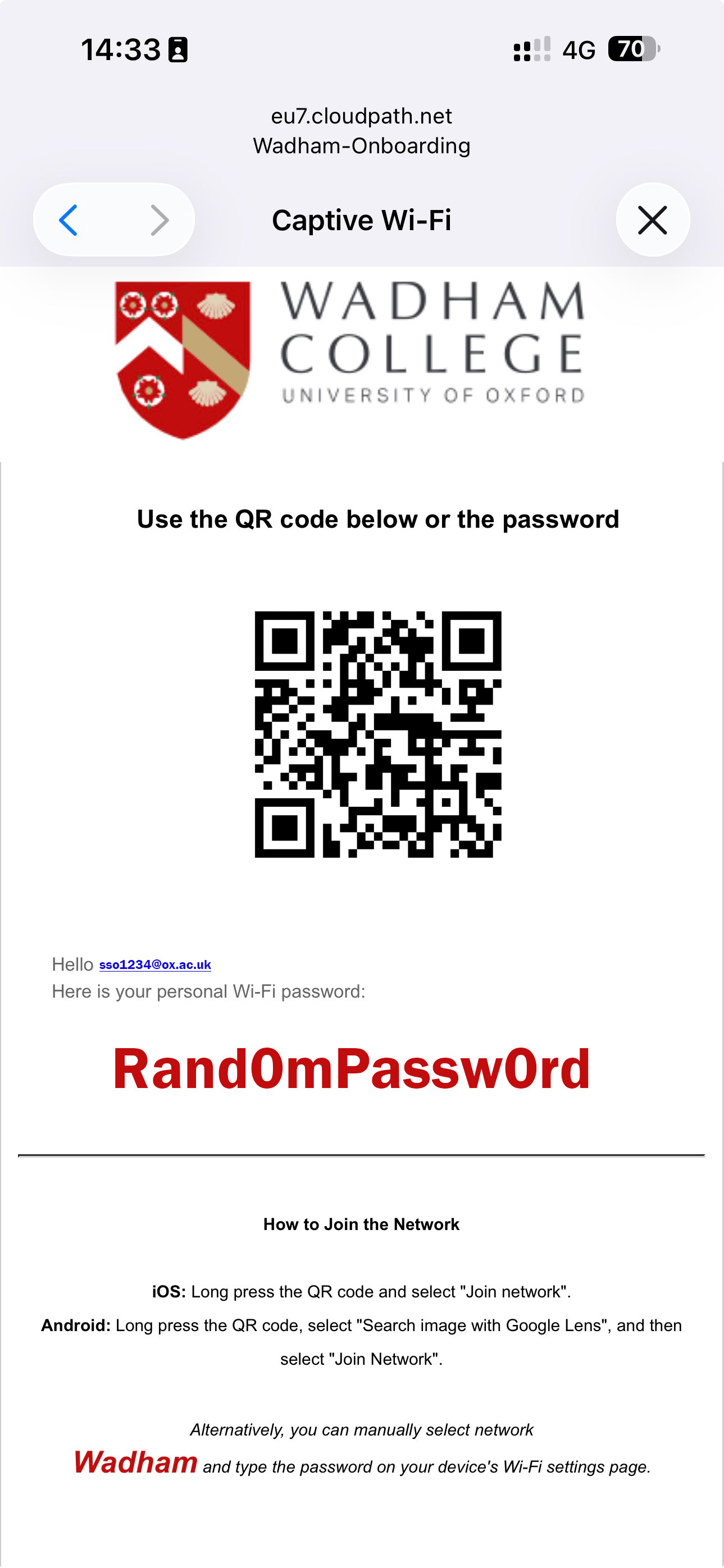
5. Connect to the Main Network
Disconnect from Wadham-Onboarding and join the Wadham wireless network using the password provided.
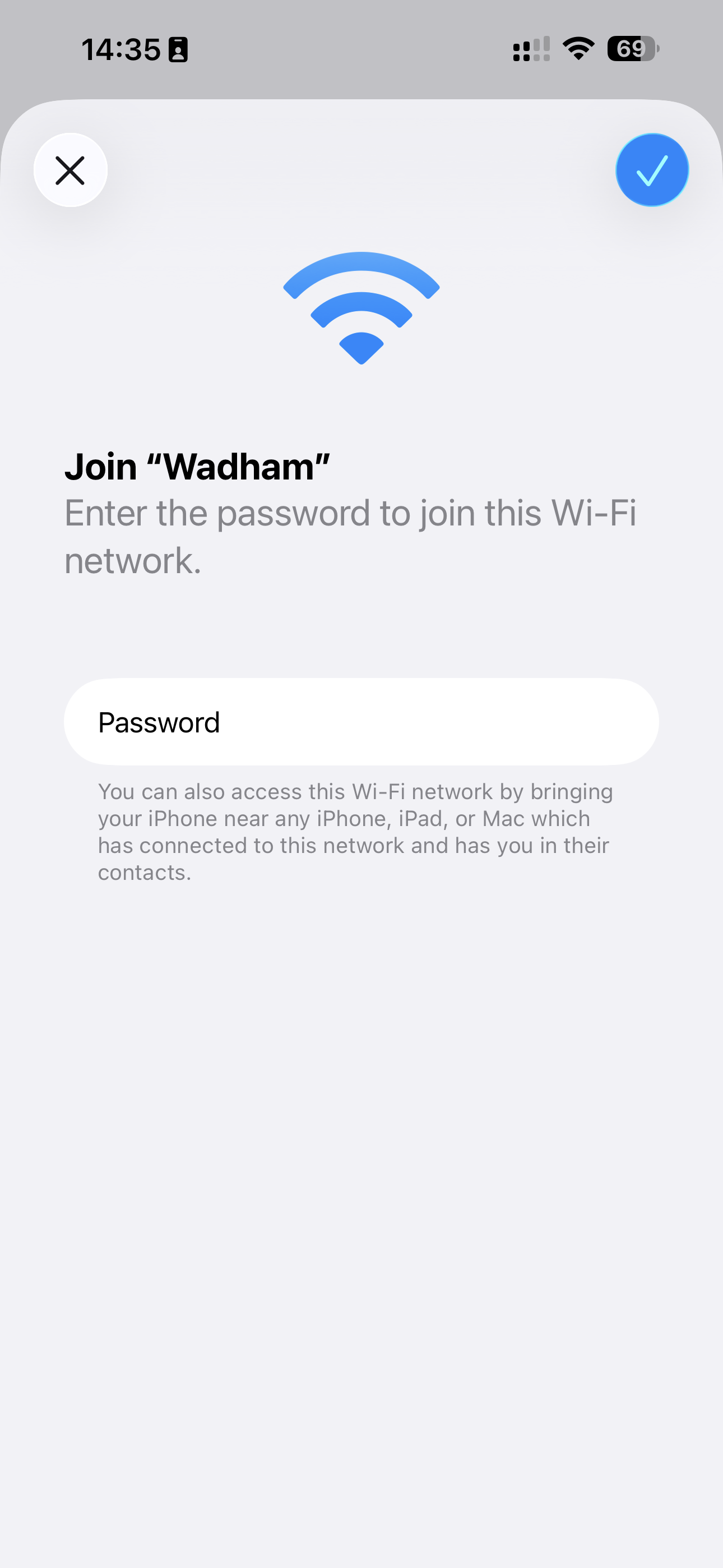
6. You're Connected
Your device should now be connected.
Use the same password for all your devices. If you forget it, repeat the steps above to generate a new one.