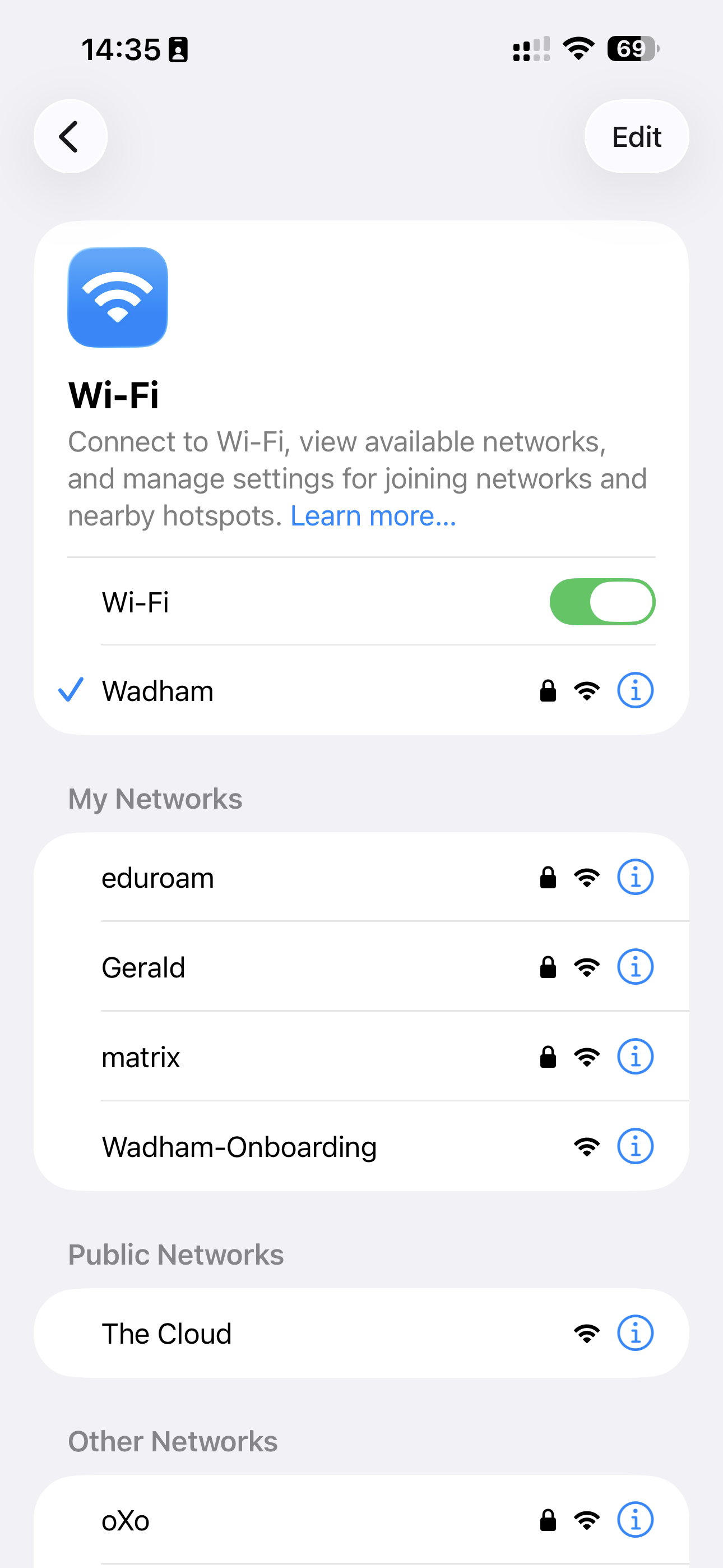
1. Connect to the Onboarding Network
Open your Wi-Fi settings and connect to the Wadham-Onboarding network.
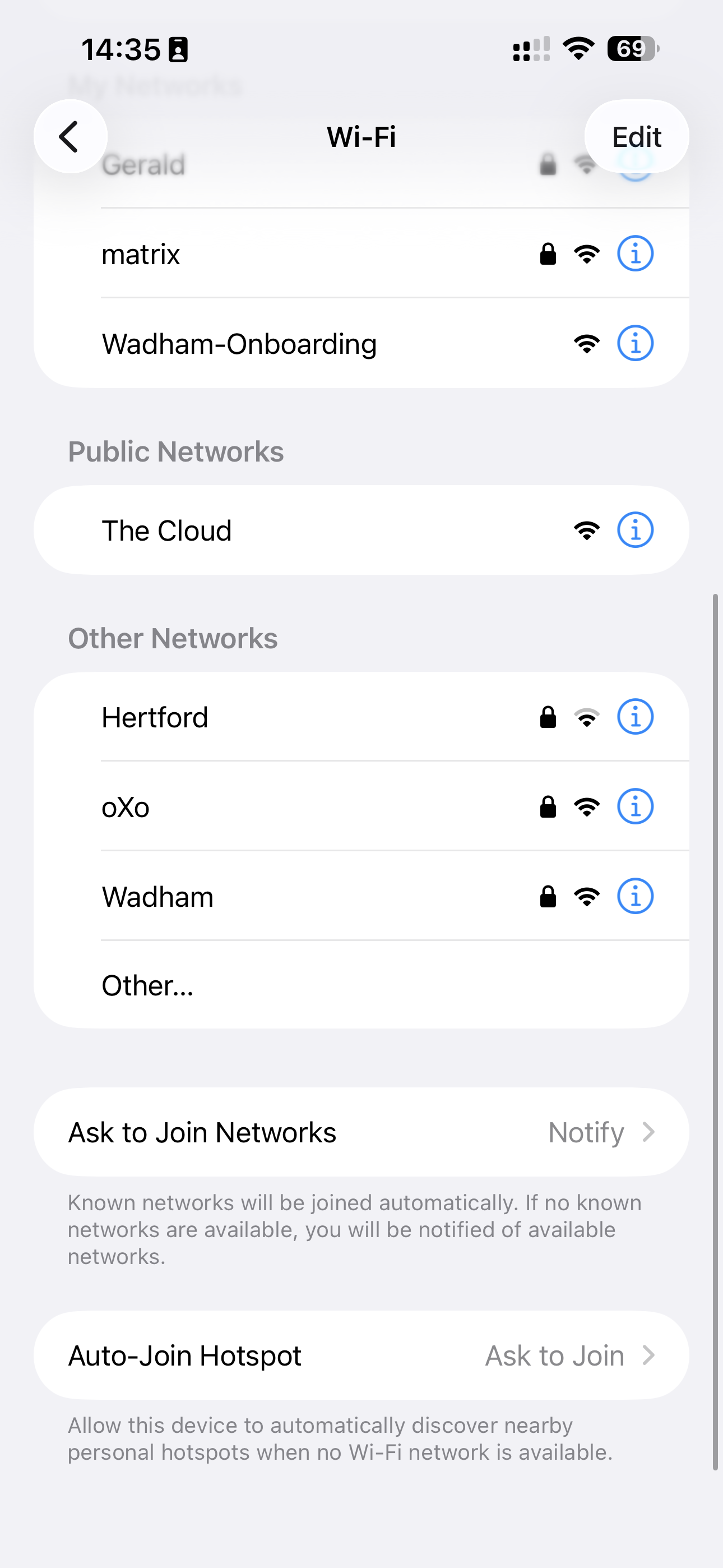
2. Choose the Conference Login Option
When the login window appears, select "I am visiting with a conference".
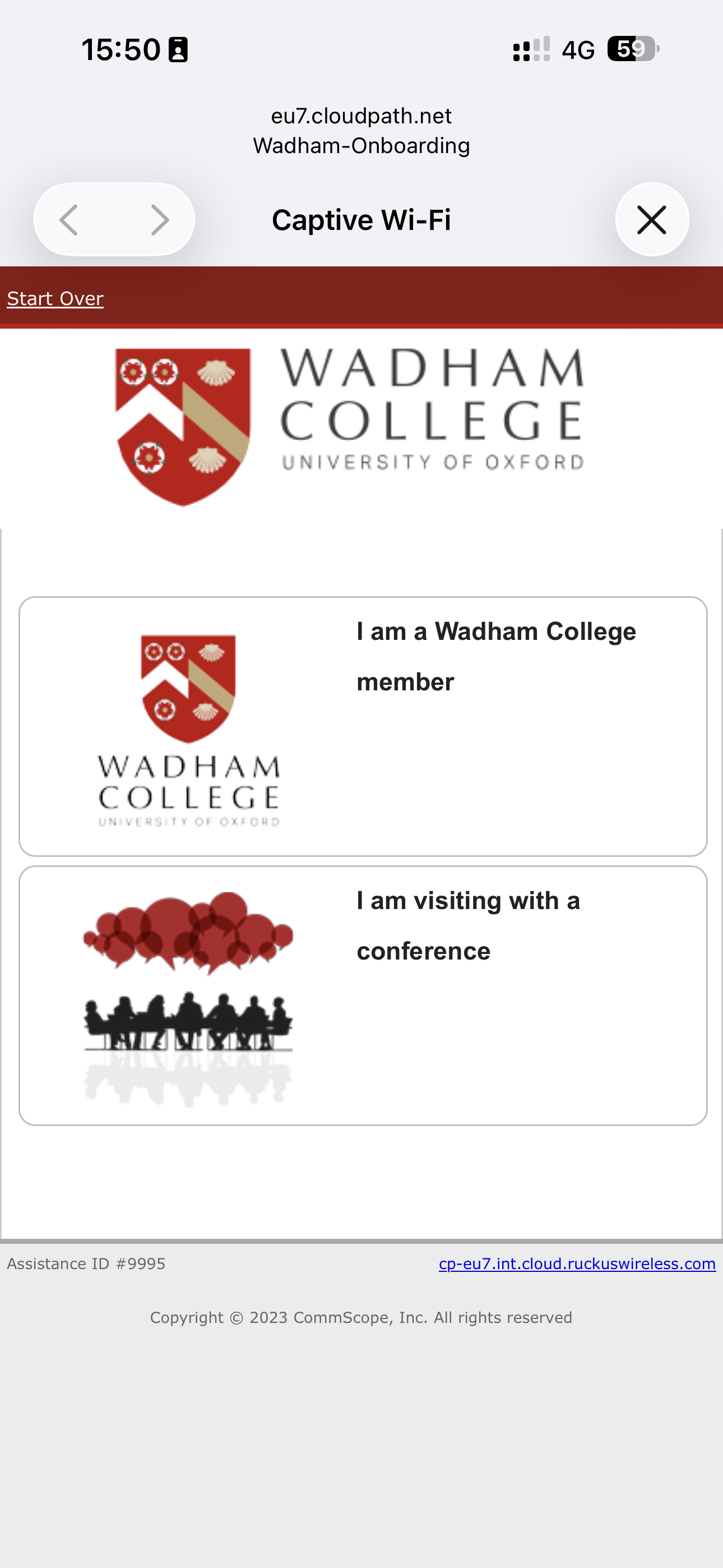
3. Accept Terms & Conditions
Read and confirm that you agree to the Terms & Conditions to proceed.
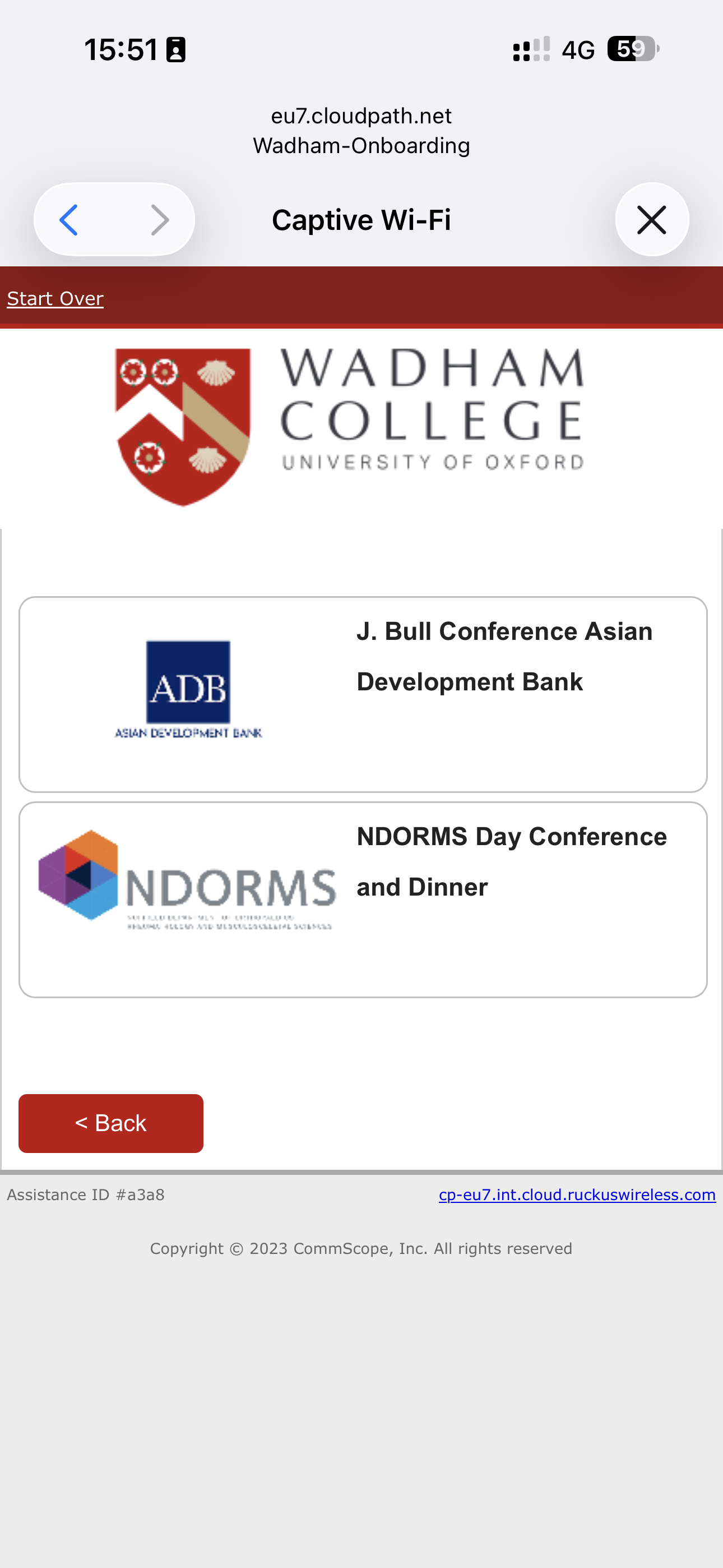
4. Select Your Conference
Select the conference you are attending from the list.
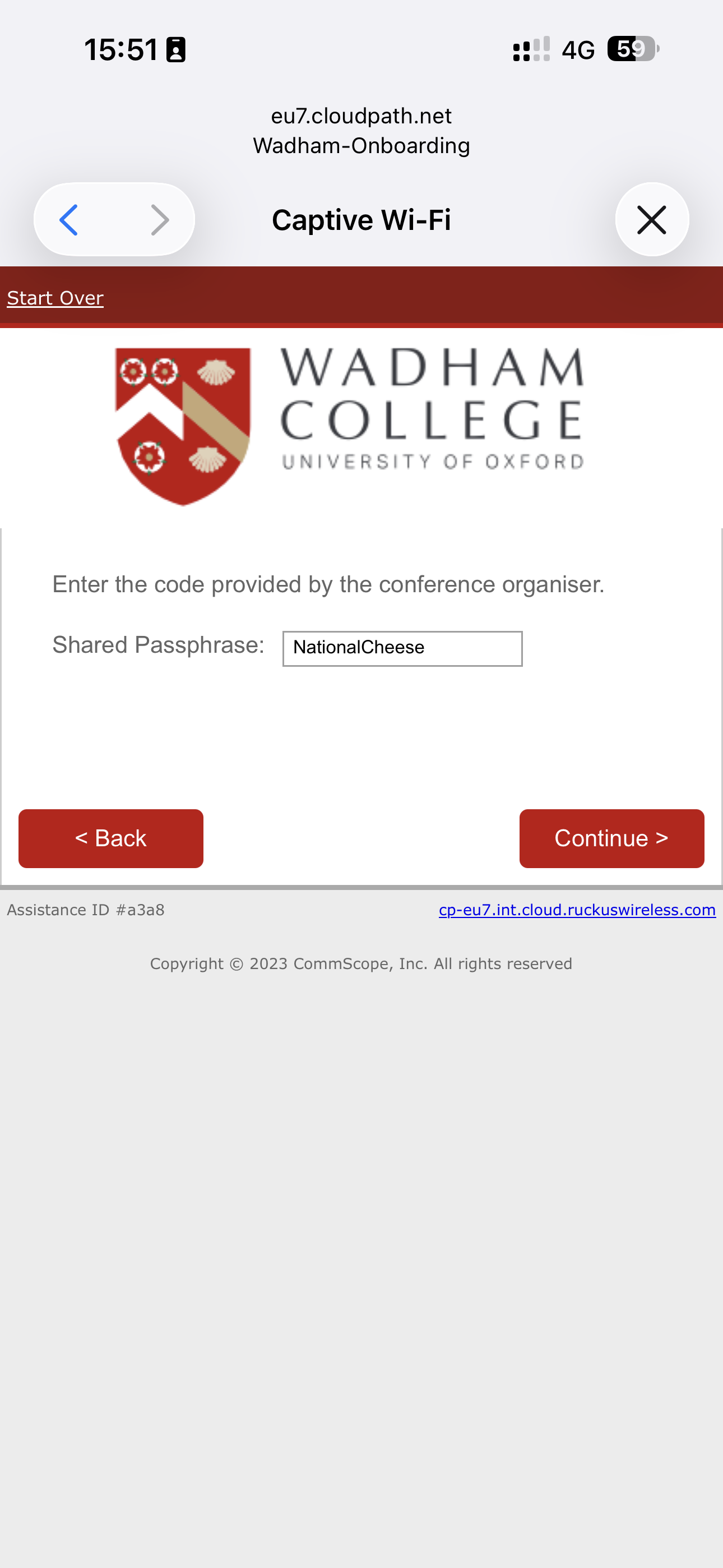
5. Obtain the Shared Passphrase
Your conference organiser will provide the Shared Passphrase when required.
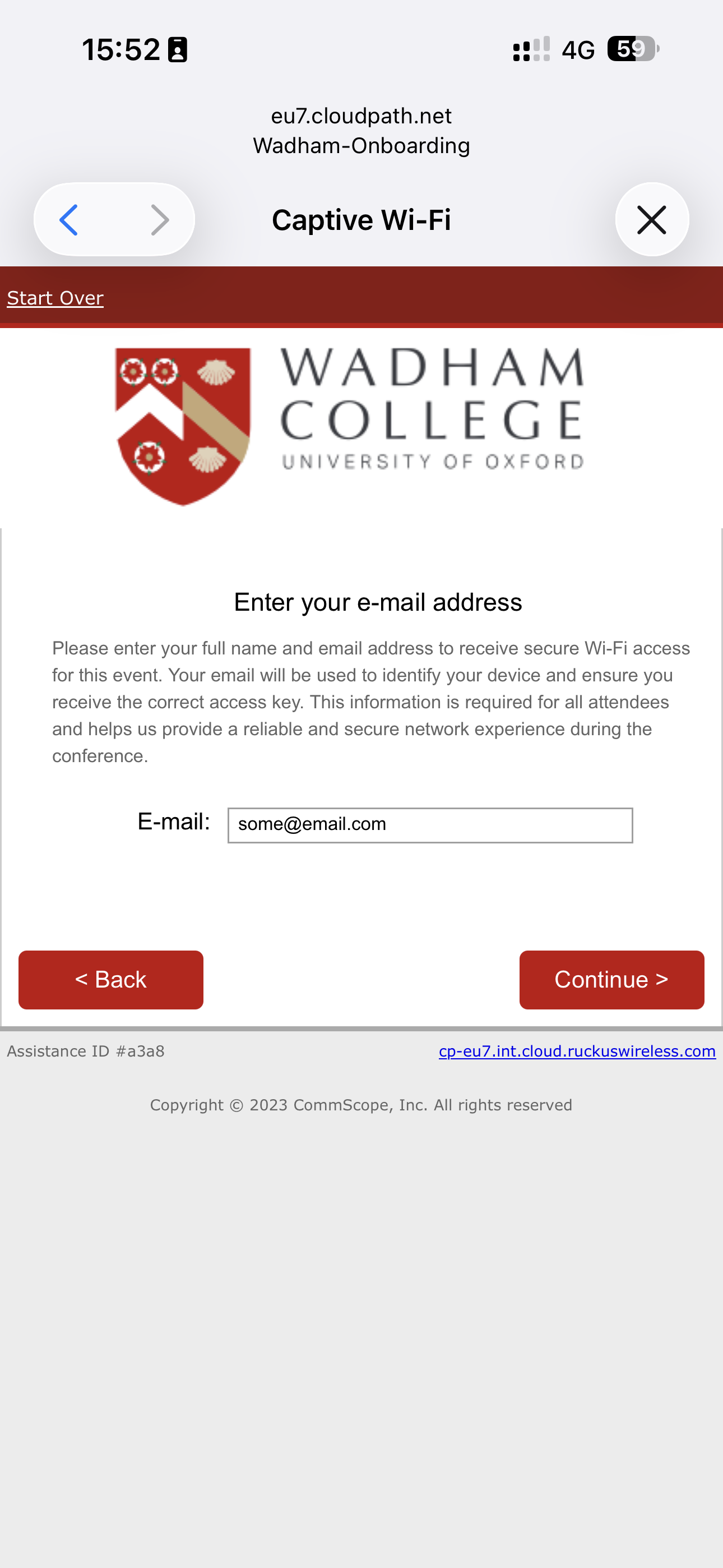
6. Enter Your Email Address
Enter your email address. Your new wireless password will be shown and emailed to you.
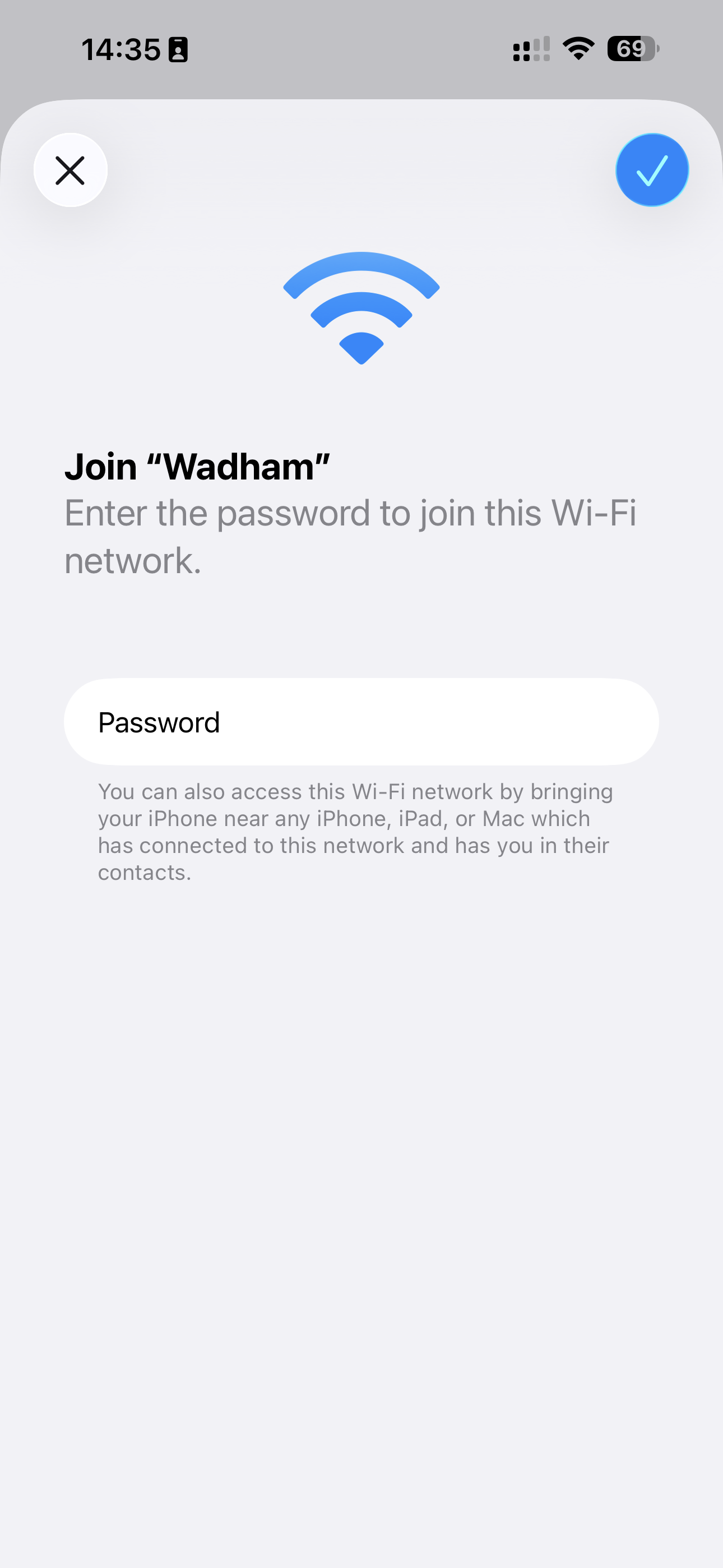
7. Connect to the Main Network
Disconnect from Wadham-Onboarding and join the Wadham Wi-Fi network.
8. You're Connected
Your device should now be connected. Use the same password for all your devices.
If you forget it, simply repeat the steps to generate a new one.